Compare understandable retirement scenarios across your full household plan.
MRIE—My Retirement Income and Expense—is a lightweight retirement-planning application for Windows, macOS, and Linux. It projects income from all sources against expected expenses over time using the Social Security, pension, COLA, inflation, tax, and rate-of-return assumptions you choose.
Available for Windows, macOS, and Linux. A personal beta license can be used reasonably across your own supported computers.
Build complete retirement scenarios with the assumptions you choose.
MRIE models household income from all sources against expenses, healthcare costs, taxes, and withdrawals. You control the assumptions that shape each projection.
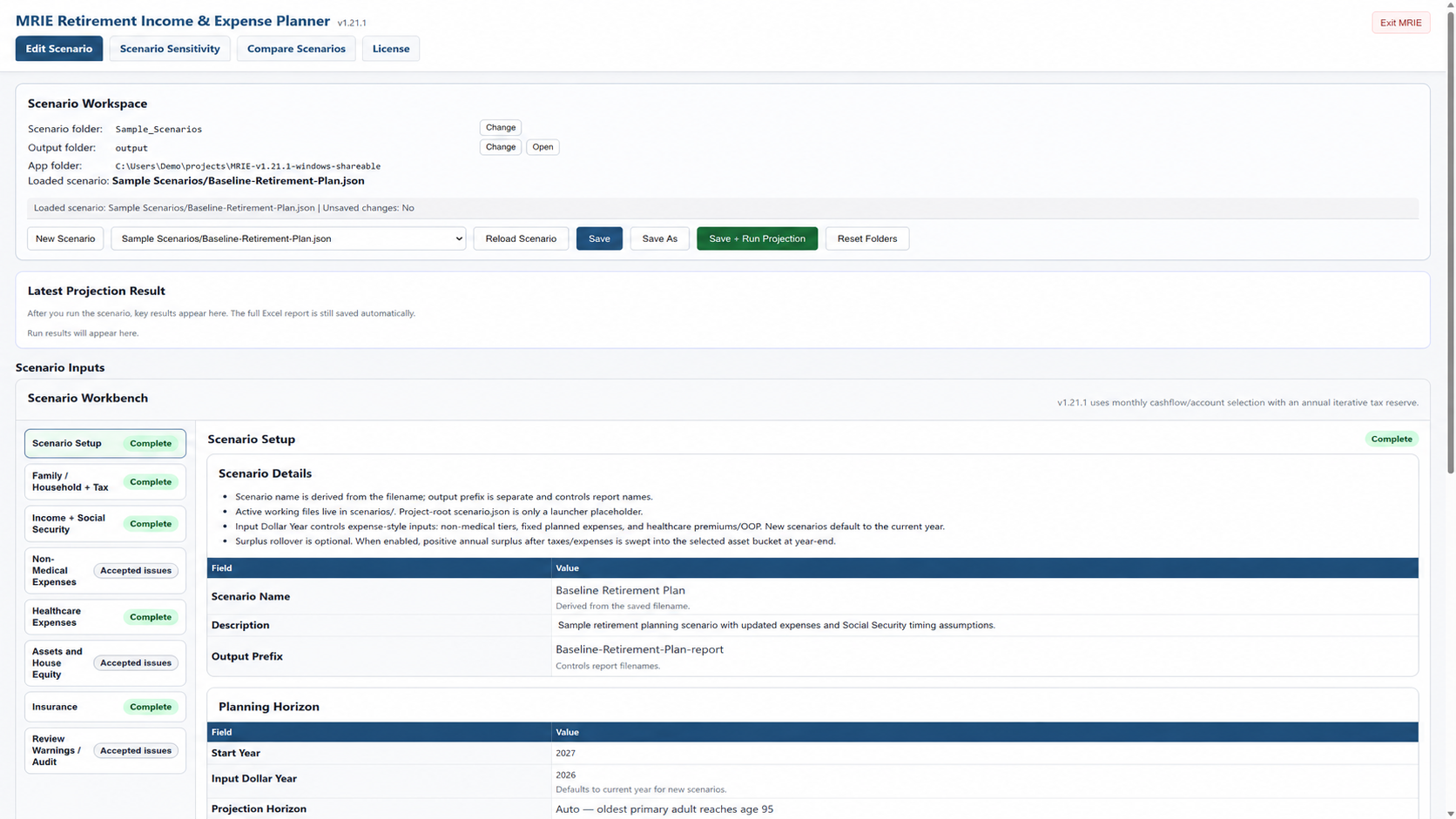
Compare complete retirement scenarios side by side.
Preserve a baseline, create alternatives, and compare how deliberate changes affect income, expenses, taxes, withdrawals, and assets over time.
Understand what drives each projection.
MRIE uses a chronological household model so income, spending, taxes, withdrawals, and assets interact over time rather than appearing as isolated estimates.
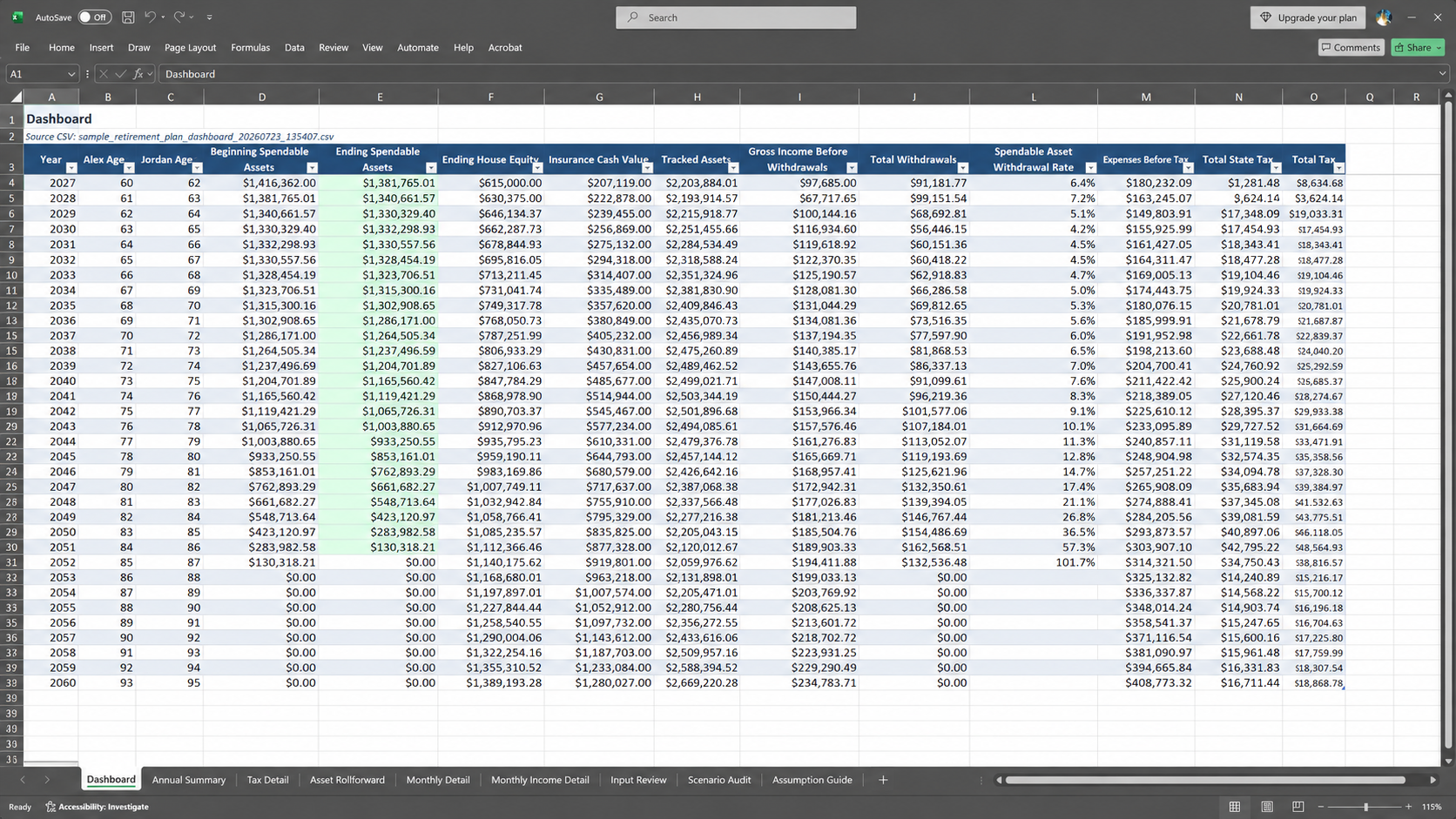
Familiar, useful, and clear Excel reports.
Every completed projection creates a detailed multi-sheet Excel workbook. Start with the dashboard, then review the supporting annual and monthly detail whenever you want to understand the result more deeply.
A lightweight desktop application for every major platform
MRIE is available for Windows, macOS, and Linux. Scenario files and Excel reports are stored where you choose—on your computer or in your own personal cloud-synchronized folders.
Your financial-planning data stays private and under your control. MRIE sends only the limited information needed to validate beta access; it does not upload your scenario files or planning inputs.
Current beta availability
MRIE beta evaluations are free for 60 days and tied to the email address used for the request. Access may be renewed depending on release status and continued availability.
MRIE is still evolving. Beta users should expect changes, provide feedback where practical, and retain their own scenario backups.
Longer-term direction
The goal is to keep MRIE affordable after beta. A low-cost annual personal license is planned, but final pricing and release terms have not been set.
The current beta is an evaluation program, not a paid trial and not a promise of permanent free access.
How MRIE beta licensing works
Your personal beta license is tied to your email address rather than one specific computer. The application may periodically check license status online, allowing reasonable use across your own personal devices.
License validation does not upload MRIE scenario files or financial-planning inputs.
Request beta access
Email Brian with your name, preferred email address, and a short note about your interest in MRIE.
- ✓Email: bcooper@myretirementmodel.com
- ✓Subject: MRIE Beta Evaluation License Request
- ✓Include: your name, preferred email address, and a brief note about your interest.
MRIE beta FAQ
Is the beta evaluation free?
Yes. MRIE beta evaluation licenses are currently free for 60 days.
Can beta access be renewed?
Beta access may be renewed depending on MRIE’s release status and continued availability.
Is MRIE tied to one computer?
No. MRIE uses an email-bound license and permits reasonable use across your own personal devices.
Does MRIE store my financial data online?
No. The license service validates license status; it does not store your MRIE scenario files or financial-planning inputs.
Will paid licenses be available?
A low-cost annual personal license is planned after beta. Pricing, timing, and final terms have not been determined.